
Pixary AI Review
An uncensored image and video generator with in-house Pixary models alongside Wan and Seedance, one free generation a day, and one-time payments with no subscription.
Pixary AI is a browser-based adult generator for text-to-image, image-to-image, text-to-video, and image-to-video, running in-house Pixary models next to Wan, Seedance, Qwen, and Grok. One free generation a day lets you try it. After that you pay once, either for 30 days of premium access or for credits that stay valid for a year. We did not generate anything ourselves.
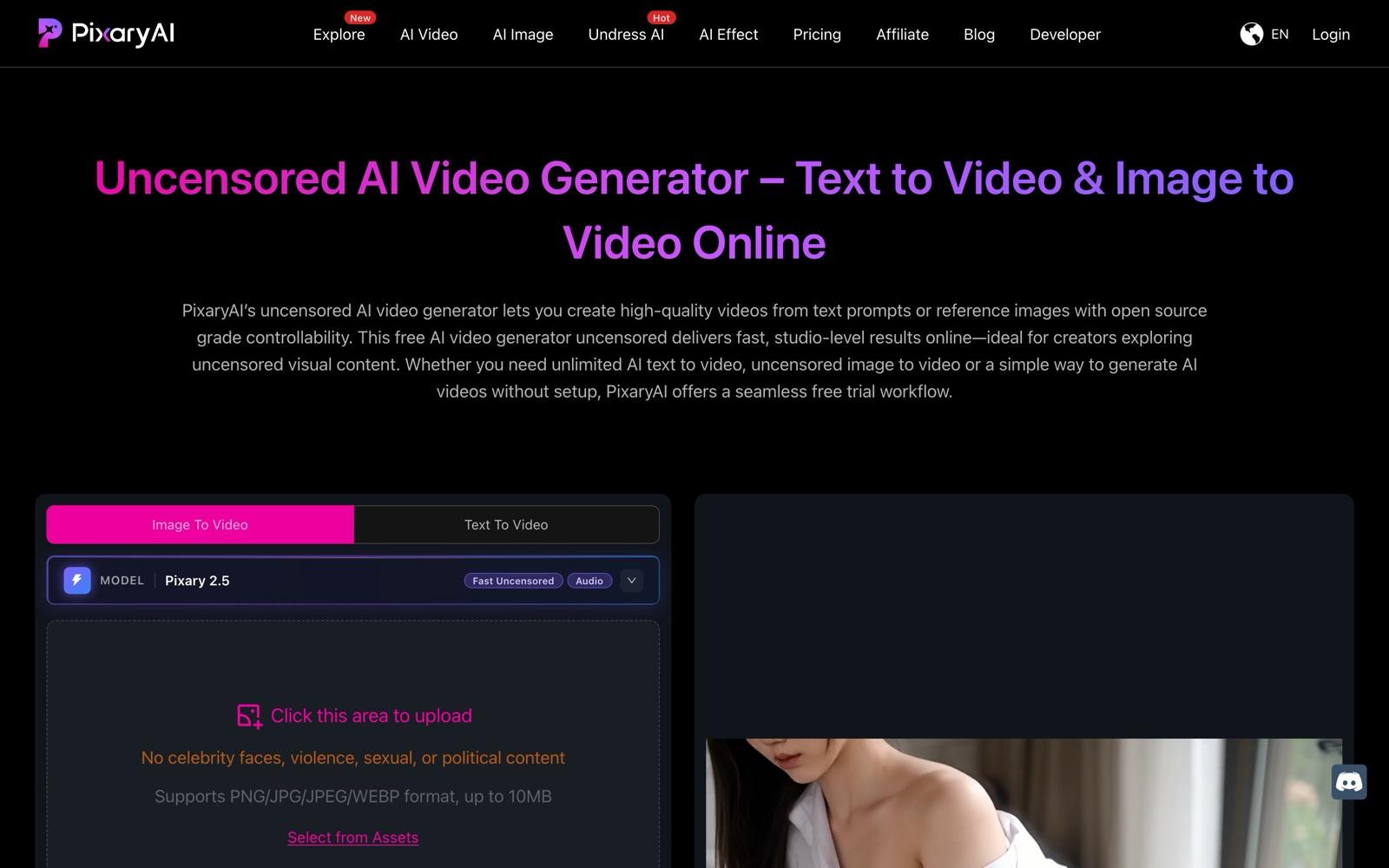
About this review: rewritten from the supplied Pixary AI review export (November 2026). Model names, features, and payment terms come from that export and its homepage screenshot; exact pack prices were not confirmed in it. We did not generate images or videos, or buy credits ourselves.
What is Pixary AI?
Pixary AI puts its generator on the homepage: a model picker, a prompt field capped at 2,000 characters, an optional image upload for image-to-video or image-to-image, an aspect ratio that follows your still, and a Generate button. The supplied review says a single free generation a day is available without installing anything, and the site advertises a free trial workflow.
The model list is long. For video, the source names Pixary 2.5, 2.5 Pro, 2.6, and 2.7, Wan 2.5 Unlimited, Wan 2.6, Wan 2.6 Flash, Wan 2.7, Seedance 1.5 Pro, Seedance 2.0, and Grok. For images it lists Pixary Image 2.5 Lite through 2.7 Pro, Pixary Anime Image 1.0, Wan image models, Qwen, and Grok. The supplied screenshot shows Pixary 2.5 selected with Fast Uncensored and Audio tags.
Beyond the generators, the menu also carries Undress AI, Face Swap, AI Effect (a library of more than 100 image and video effect templates), and Explore, a gallery of user cases. Undress AI and Face Swap work on uploaded photos and videos of real people. They are only appropriate for your own images or for adults who have explicitly agreed to it, and creating sexual images of someone without their consent is illegal in many countries. The supplied review does not describe any consent rules on Pixary for these tools.
The site claims more than 500,000 users, more than ten million images and videos created, and ratings of 4.8 to 4.9 across its feature pages. Those are the site's own figures, not independent measurements.
What holds up. What’s missing.
Pros
A free generation every day
One free generation a day is enough to judge a model's output before paying. It is watermarked and runs at free-tier speed.
No subscription to cancel
Premium is a one-off 30-day pass, and credits stay valid for a year. Neither renews automatically.
Many models in one place
In-house Pixary models sit beside Wan, Seedance, Qwen, and Grok, so you can trade speed against quality without switching sites.
Character consistency on Pixary 2.7
Pixary 2.7 accepts up to 14 reference images to keep a character's face, outfit, and style consistent, with inpainting, outpainting, and a 4K output path.
Video with native audio
Pixary 2.5 Pro generates audio in the same pass, with lip sync, voiceover, optional subtitles, and 1080p output in 16:9, 9:16, 1:1, and 4:5.
Several payment options
The source lists Visa, Mastercard, Apple Pay, Bitcoin, Ethereum, USDT, and Telegram payments.
Cons
One free generation is not much
A single daily generation is enough for a test but not for real use, and free output carries a watermark.
Credit prices are vague
The supplied review only puts entry packs around $10 for 320 credits, based on the site's own comparison copy. Exact pack sizes and prices were not confirmed.
Long video eats credits
Wan models and longer clips use credits much faster than stills, according to the source.
A large menu to learn
With a dozen video models and several image lines, it takes time to work out which one suits a given job.
Photo tools that need consent
The same account offers undress and face swap tools for real photos, and the export does not describe any consent checks.
Output not reviewed by us
Quality, motion, and speed are reported as the supplied review describes them, not tested by us.
The limits behind the feature list
Pixary Image 2.5 Lite to 2.7 Pro
Image 2.5 Lite is the fast lane for text-to-image and image-to-image. Pixary 2.7 and 2.7 Pro are built for consistent characters, with up to 14 reference images, inpainting, outpainting, background and object changes, and output up to 4K. The source says long prompts and multi-panel layouts hold better there than on Lite.
Pixary Anime Image 1.0
A separate model for adult anime and illustration styles, with prompts for pose, outfit, lighting, and mood and variations refined with the editor controls.
Pixary 2.5 and 2.5 Pro video
Pixary 2.5 Fast Uncensored with Audio is the everyday text-to-video and image-to-video model. 2.5 Pro adds native audio, lip sync, talking-avatar motion, voiceover, subtitles, and 1080p output in four aspect ratios. The source says short drafts often finish in under a minute.
Wan and Seedance video
Wan 2.5 is positioned as the unlimited-leaning option for text-to-video and image-to-video. Wan 2.6 adds camera movement, transitions, and multi-shot sequences of around 15 seconds, and Wan 2.6 Flash, Wan 2.7, Seedance 1.5 Pro, Seedance 2.0, and Grok widen the choice further.
Outfit edits during video
Several video workflows let you change or adjust clothing before or while animating, so you don't have to regenerate a still to change an outfit.
AI Effect templates
More than 100 image and video effect templates, including cinematic motion, artistic filters, and style transfers, applied to a finished still or clip.
Pixary AI pricing: one-time payments and credits
Pixary AI uses one-time payments only, with no monthly subscription and no automatic renewal. There are two options. One-off Payment unlocks premium for 30 days, with access to every tool, faster generation, watermark-free output, and the heavier models. Buy Credits adds a balance that stays valid for a year and is spent across all tools.
The supplied review does not confirm exact prices. It says the site's own comparison copy puts an entry pack at around $10 for 320 credits, that larger credit packages exist for heavy video use, and that an internal article mentions a low single-digit dollar upgrade for higher resolution and longer video on some models. Check the pricing page for current figures.
The free tier is one generation a day across the generators available without paying, with watermarks and slower speed. Payment methods listed in the source are Visa, Mastercard, Apple Pay, Bitcoin, Ethereum, USDT, and Telegram. Credits arrive after payment.
Privacy, uploads, and consent
What the site promises about uploads
According to the supplied review, Pixary AI says jobs are processed privately, uploads are not used for training, and generations are not published to a public feed. The export doesn't name the operator or describe how long files are kept, so read the site's privacy policy before uploading anything.
Consent for real photos
The generators work from text or from images you upload. The upload area in the supplied screenshot notes that celebrity faces, violence, sexual, and political content are not allowed in uploads for that generator. Pixary's separate undress and face swap tools process photos and videos of real people, and the export describes no consent or verification checks for them. Use any uploaded-photo feature only with your own images or with adults who have explicitly agreed, since sexual images of someone made without consent are illegal in many countries.
The verdict on Pixary AI
The platform's appeal is breadth and flexible payment. Text-to-image, image-to-image, and both kinds of video share one credit balance, the model list covers fast drafts through 1080p clips with audio, and the 30-day pass or year-long credits suit people who use it in bursts rather than every month.
The drawbacks are the thin free tier, vague published prices, and the credit cost of long video. The site also sells undress and face swap tools for real photos with no consent checks described in the export, so treat those with care. Spend the free daily generation on the model you actually plan to use before buying.